work-day-scheduler
hw-05-columbia
Work Day Scheduler Assignment
Road to the Work Day Scheduler Functionality
- The objective of this assignment was to create a functioning work day scheduler that has time blocks that the user can input a schedule entry, the entries light up a different color epending on whether it is in the past, present, or future, save/get the entry to the local storage, and refresh the page and not lose the data stored.
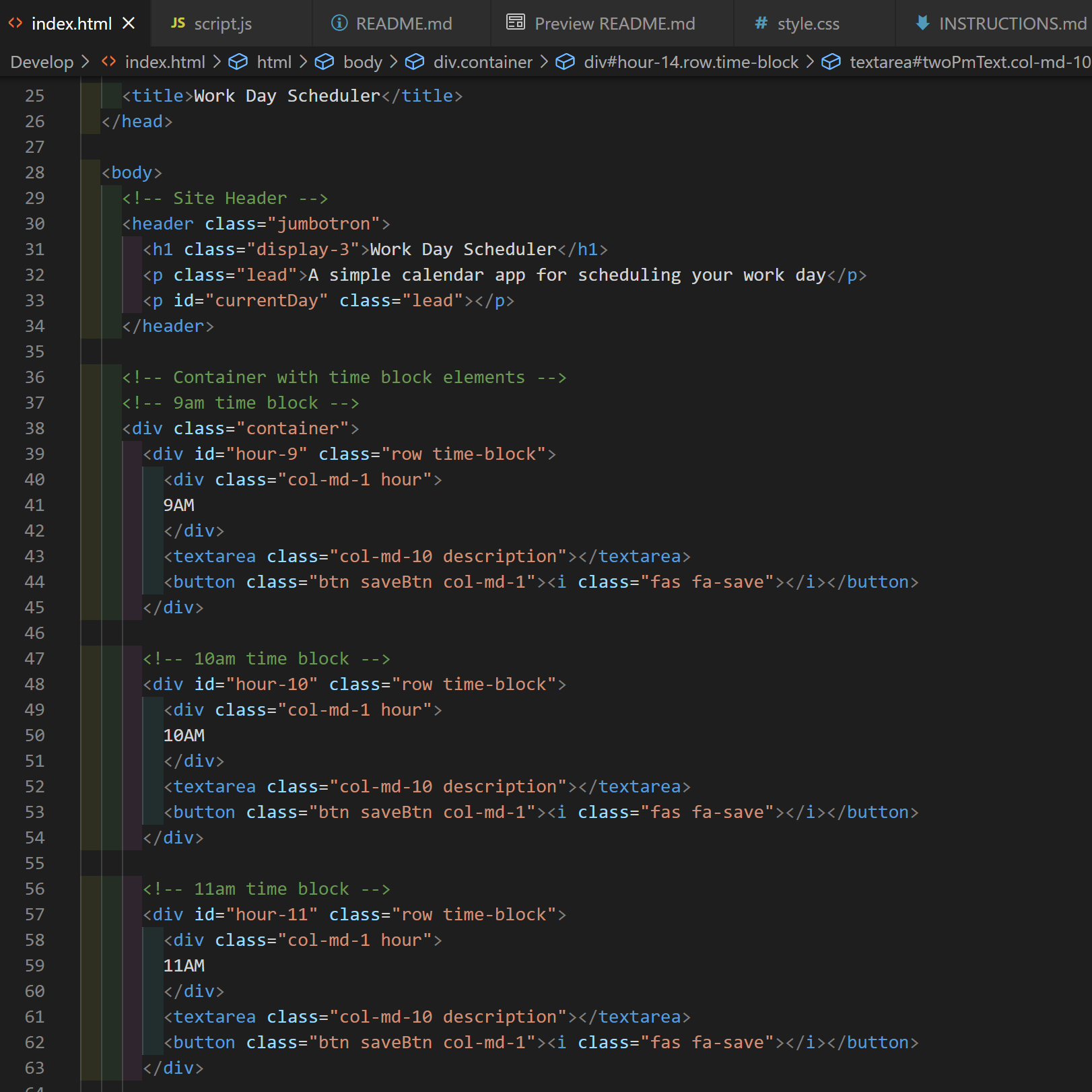
- The first thing I had to do was to create 9 timeblocks with each row representing each hour in between 9am and 5pm. I did that by creating a container for the timeslots and making sure there were 3 elements in there; the div that shows what hour the timeslot is in, the text area for user input, and the save button. I repeated those same steps for each hour.
-
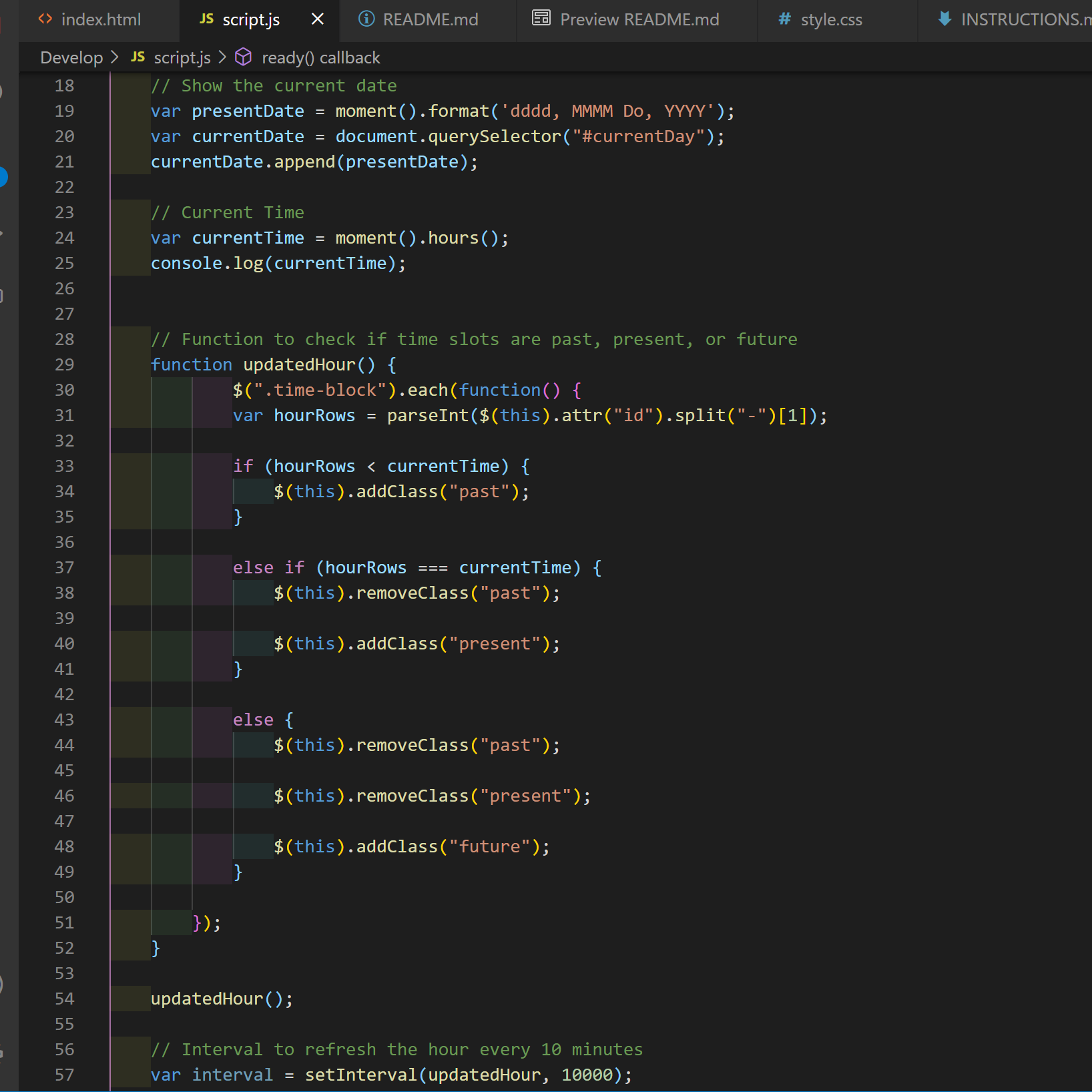
Next I used the code from moments.js to get the current date and append it to the site header using the id currentDay.
-
The current hour needed to be coded so the applicaton could have a reference to the time.
-
Then the updatedHour function was created to check to see if the time slots are in the past, present, or future. Then assigning CSS properties to the timeslots that meet the conditions based on its relative time to the actual hour it is.
-
An interval was set to allow the application to refresh the hour every 10 minutes.
-
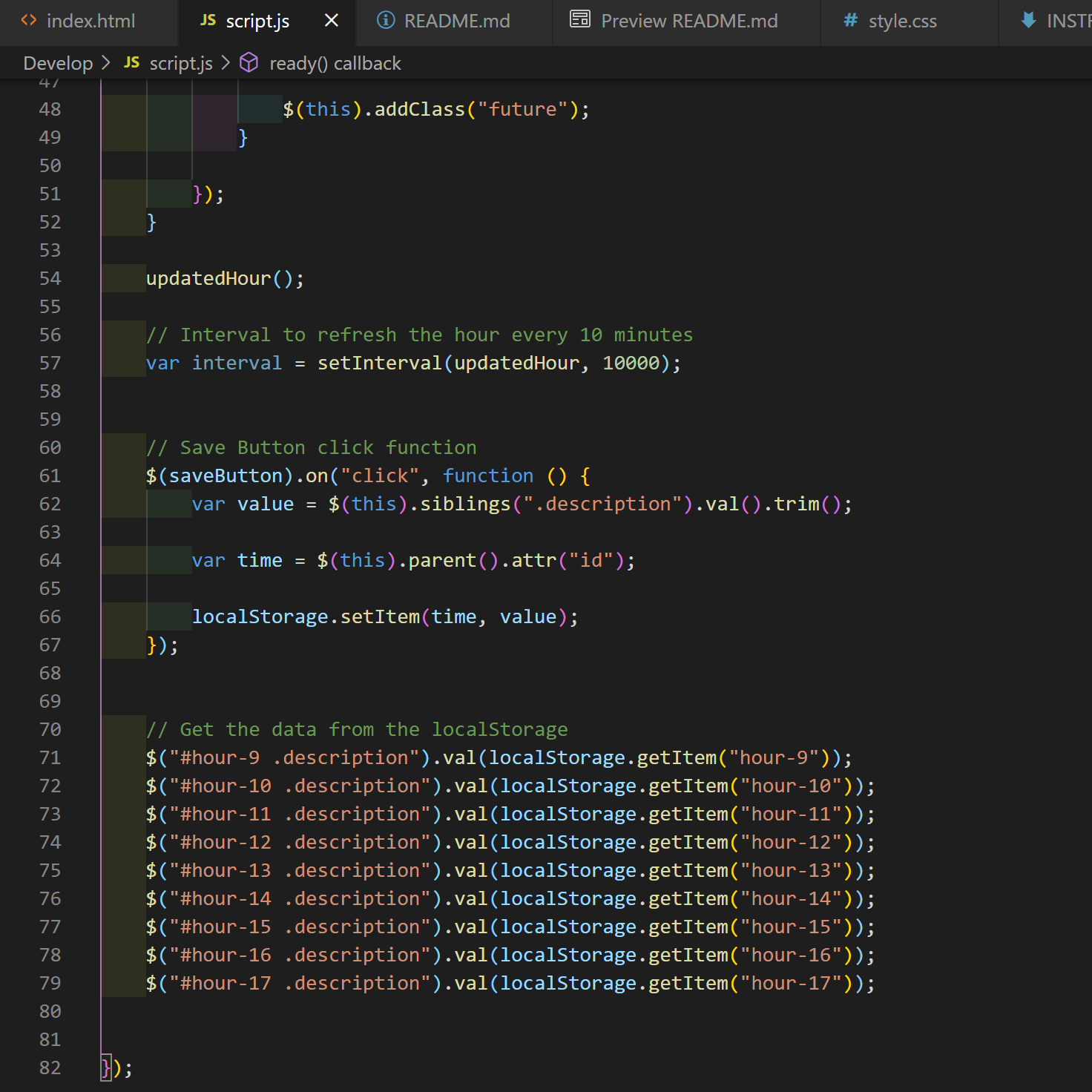
The function is used to add the click function to the save buttons for each respective timeslot and save the user input to the local storage.
-
Lastly it is important to get the user input from the local storage by assigning the stored values to their respective timeslot elements.